
Menu design tips
On this page
- Tip #1: Short page titles
- Tip #2: Not too many pages in a submenu
- Tip #3: Avoid submenus with one item
- Tip #4: Don't stack too many submenus
- Tip #5: Prefer topics to media types
- Tip #6: Use menu items for submenus
Good Menu Structure
A good menu helps your visitor find what they are looking for on your site, quickly, and with least fuss.
A good menu has a few top level menu options, with meaningful, interesting names.
Some menu items can have more options in a dropdown, but keeping these to 3-6 is advisable.
Consider your menu as a backup navigation, and for repeat visitors. Use on-page navigation aids like call to action buttons, and image links as your primary guide to your site.
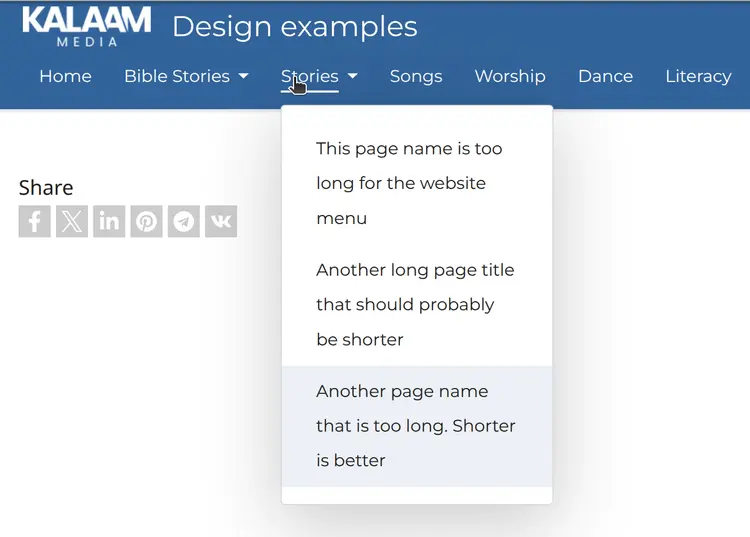
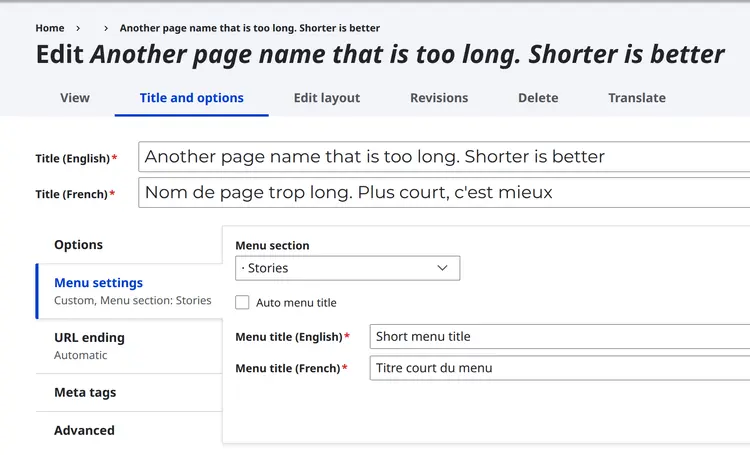
You can rename the Menu title to be different from the page name if you want to make it shorter, but want the page name to remain the same.
Click on Title and options on a page, then uncheck the box "Auto menu title" and fill the Menu title box.
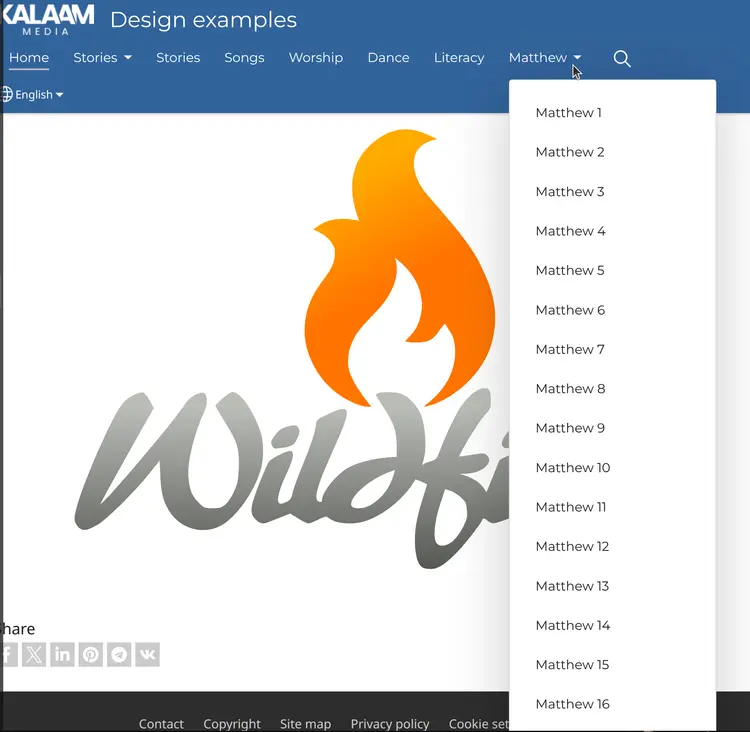
3 - 6 menu items is the ideal. Think about how to structure your menu to avoid this, or create a single page with links to all those subpages.

The Gallery doesn't need to be a single dropdown under a menu item - this hides it away, and adds extra work to get to the content:

If we remove the Photos Menu item, the Gallery is available straight away:
Tip #4: Don't stack too many submenus
One level of menus is perhaps best.
Two is acceptable.
Three is inadvisable.
Four is unwieldy.
Five is far too many!
It is very easy to move the mouse out of the menu and be thrown right back to the start of the menu. In mobile, it is easy to get lost in the maze of menus.
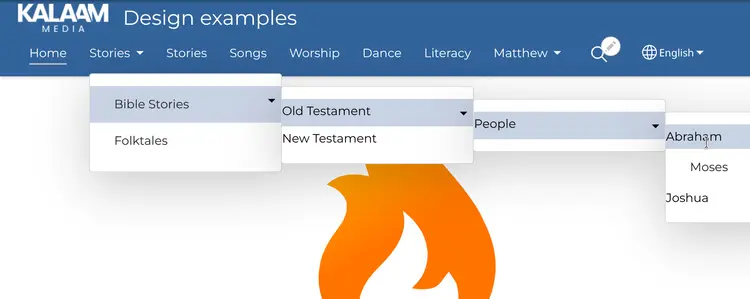
Think about restructuring your menus, or using on-page links as navigation
If your menus are getting too crowded, too long down the page, or too many levels deep, think about how you could restructure the menu - add a new topic, or perhaps add another submenu off the existing dropdown (but avoid going down too many levels).
Another option is to have the main topics on the menu, and each topic then has a landing page that provides links (using text, buttons, or Image links) to further content.
Mobile: On-page navigation (icons, buttons, image links) is actually better for mobile, since the menu starts off hidden.

These menu item topics are not very descriptive:

These titles are more descriptive and more likely to get people to visit their pages:
Tip #6: Use menu items, not pages, for submenus
When you want to create a submenu, you might go to Arrange menu links, and start moving pages underneath other pages. But this causes problems:
- empty pages in the menu
- hard to find content in the mobile menu
Instead of moving pages underneath other pages, choose Add new menu item and put the pages underneath that menu item. This avoids the problem of empty pages that are only there to be a menu placeholder.
Top level categories, or topics, should be created as menu items, and then Pages with content should be placed underneath those in the Arrange menu links screen.
Example
I want to create a submenu under a label Stories, for my two pages "Bible Stories" and "Folktales.":
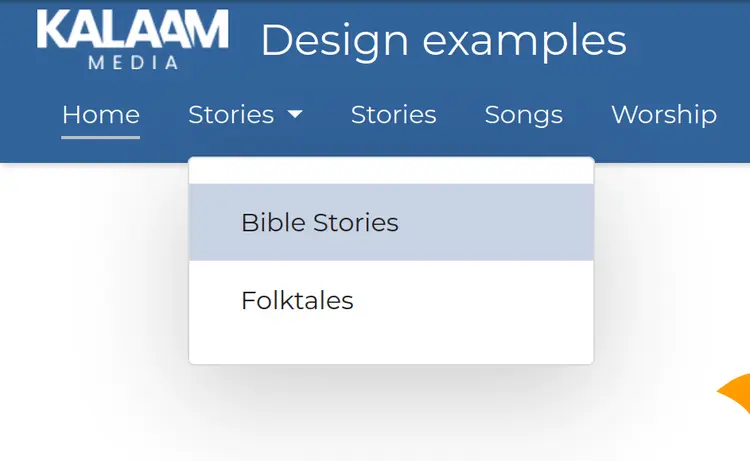
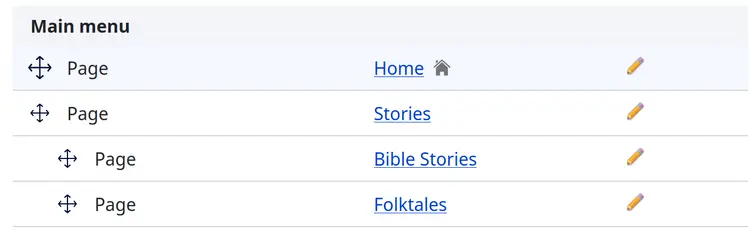
But if I create a submenu under a page called Stories:
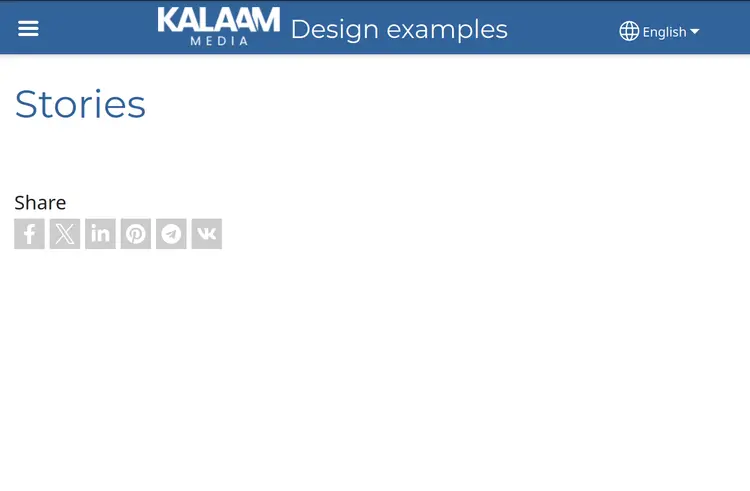
Stories in the menu will be a link, and if a visitor clicks on it, they will come to the blank Stories page:
To fix existing empty pages that have submenus below them, in Arrange menu links, click on Add new menu item, giving it the same name as the Page, and then drag all the pages underneath that menu item. You can then safely delete the empty Page of the same name.
Example:
Choose Add new menu item:

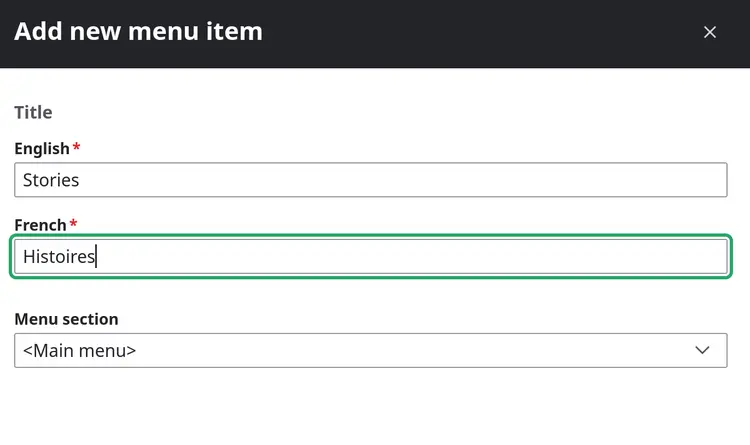
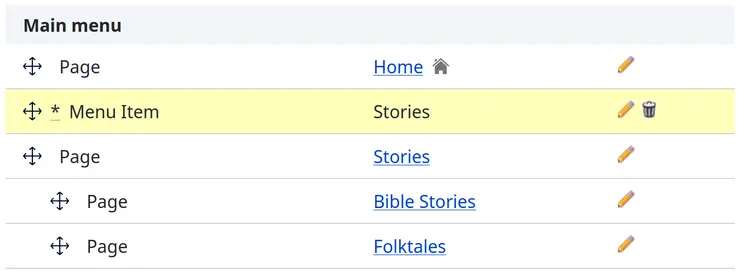
Drag the menu item above the page you want to replace:
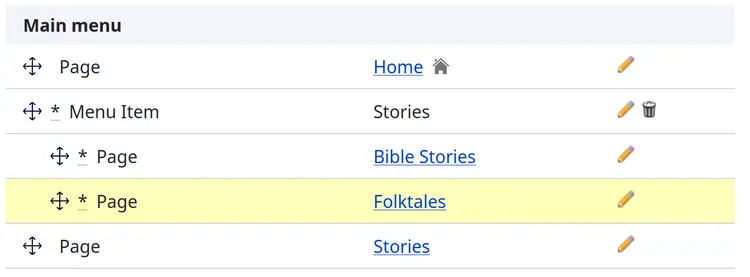
Drag the pages from underneath the Stories page to underneath the Stories menu item
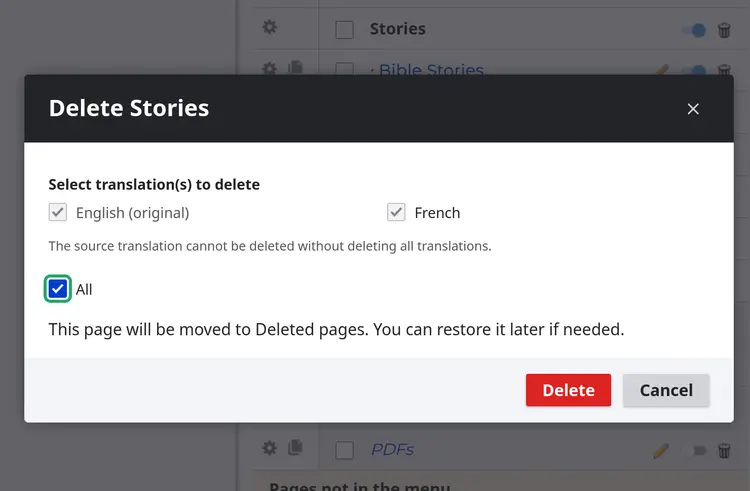
Delete the empty Stories page:
Now Stories will be in the menu, with two pages "Bible Stories" and "Folktales" below it in a submenu, but Stories itself is not a page.
Pages with Submenus
Pages that also have a submenu are a usability problem in Mobile view, because the arrow to open the submenu is very small, and it is not obvious that it will do something different than clicking on the name of the link, which will go to the page. This may mean some visitors never find your sub-pages!
It is best to use a Menu Item rather than a Page for holding submenus. A page with a submenu should at the very least have links on the page to all its sub-pages.
| Menu Item | Page |
|---|---|
| Does not open a new page | Opens a new page |
| Contains no content - holder for menu links only | Can contain content, but will start out blank - bringing visitor to a blank page (not a good look!) |
| Created in "Arrange menu links" |
