Menu design tips
Good Menu Structure
A good menu helps your visitor find what they are looking for on your site, quickly, and with least fuss.
A good menu has a few top level menu options, with meaningful, interesting names.
Some menu items can have more options in a dropdown, but keeping these to 3-6 is advisable.
Tip #1: Short page titles
Long page titles can be a problem in menus. Shorter is better.
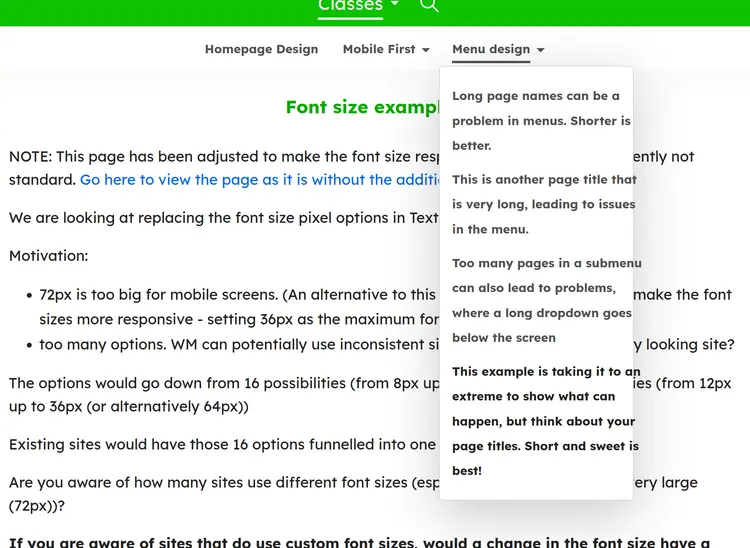
Tip #2: Not too many pages in a menu
Too many pages in a submenu can actually go below the visible screen.
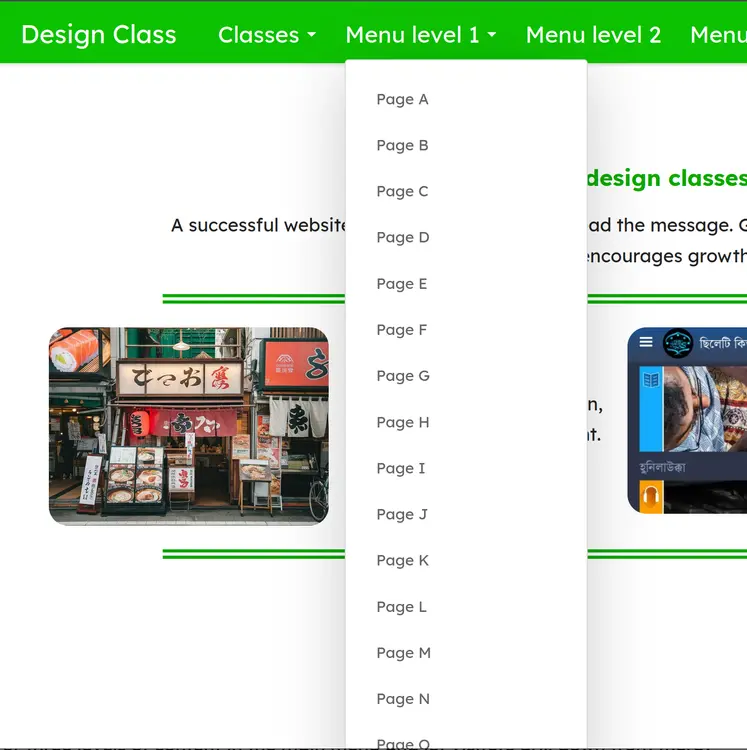
3 - 6 menu items is the ideal.
Tip #3: Avoid submenus with one item
Having a menu item with only one dropdown is unnecessary - just make that dropdown the menu item!

The Gallery doesn't need to be a single page under a menu item - this hides it away, and a menu with one item is unecessary!

Now the page is immediately available
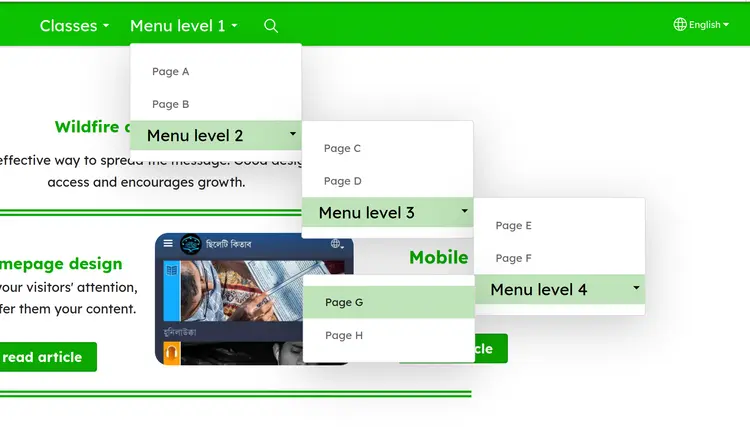
Tip #4: Not too many submenus
One level of menus is perhaps best.
Two is acceptable.
Three is inadvisable.
Four is unwieldy.
Five is madness!
It is very easy to move the mouse out of the menu and be thrown right back to the start of the menu. In mobile, it is easy to get lost in the maze of menus.
Think about restructuring your menus, or using on-page links as navigation
If your menus are getting too crowded, too long down the page, or too many levels deep, think about how you could restructure the menu - add a new topic, perhaps a another submenu off the existing, or even a new top-level menu item.
Another option is to have the main topics on the menu, and each topic then has a landing page that provides links, on the page, to further content. On-page navigation is actually better for mobile, since the "hamburger menu" is hidden normally.
Tip #5: Prefer topics to media types:
Songs Worship Dance Stories Literacy
is better than:
Audio Video Books PDFs

This is not very interesting for visitors

These titles are more descriptive and more likely to get people to visit their content
Tip #6: Use menu items, not pages, for submenus
When you arrange the menu, instead of moving pages underneath other pages, choose Add new menu item and put the pages underneath that Menu item. This avoids the problem of empty pages that are only there to be a Menu placeholder, and avoid confusing situations in the Mobile menu.
Notice that on this very site, "Classes" in the menu is not a Page - it cannot be clicked on and visited as a Page. It exists only in the menu, as a Menu item, and it has three Pages below it in the Menu structure: Homepage Design, Mobile First, and Menu design.
Top level categories, or topics, should be created as Menu items, and then Pages with content should be placed underneath those in the Arrange menu links screen.
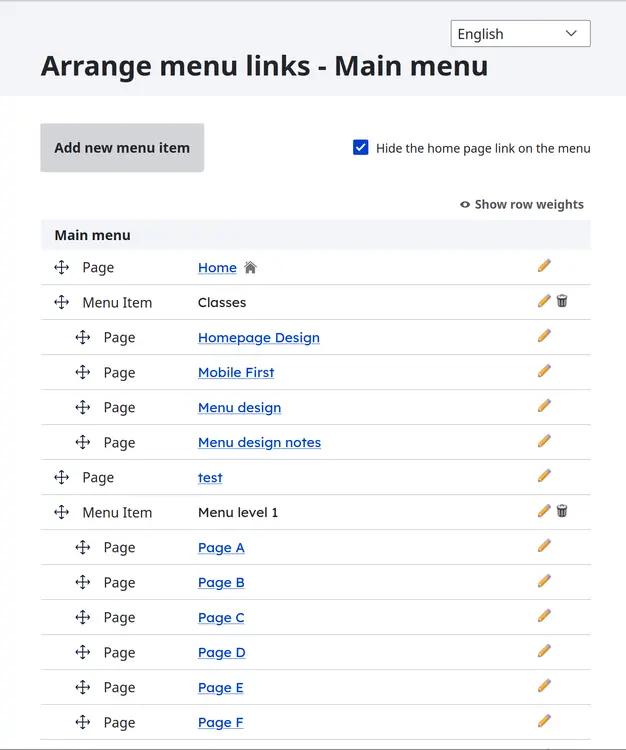
Choose Add new menu item:

To fix existing empty pages that have submenus below them, Add new menu item, giving it the same name as the Page, and then drag all the pages underneath that menu item. You can then safely delete the empty Page of the same name.
